HTTP 401 is often described as “bad credentials,” but that phrase hides several distinct failures: no credential arrived, the header syntax is wrong, a token expired, the signature cannot be verified, or the token was issued for another API. Treat the status as the start of an authentication trace.
What 401 actually means
A server returns 401 Unauthorized when a request lacks acceptable authentication. Despite the name, it is primarily about authentication—proving who the caller is.
403 Forbidden is different: the server recognizes the caller but refuses the requested action. Fixing scopes or roles may solve a 403; simply adding a token may solve a 401.
| Status | Typical meaning | First question |
|---|---|---|
| 401 | Identity was not accepted | Did a valid credential reach this API? |
| 403 | Identity lacks permission | Does this identity have the required scope or role? |
| 407 | Proxy authentication required | Is an intermediary asking for credentials? |
1. Inspect the outgoing Authorization header
Do not assume your code sent what you intended. Capture the final request at the client or gateway boundary. For Bearer authentication, the format is exact:
Authorization: Bearer eyJhbGciOi...- Use one space between
Bearerand the token. - Do not include quotation marks around the token.
- Remove leading/trailing whitespace and accidental line breaks.
- Make sure a redirect did not drop the Authorization header.
- Check that a proxy or gateway did not strip it.
2. Check expiry and time claims
For a JWT, decode the payload locally and inspect exp (expiry), nbf (not before), and iat (issued at). Decoding is not validation—it only makes the claims readable—but it quickly reveals an expired token or clock mismatch.
Compare timestamps in UTC. A machine clock that is several minutes wrong can make a fresh token appear expired or not yet valid. If refreshing the token fixes the request temporarily, investigate token lifetime, refresh behavior, and clock synchronization instead of calling the problem solved.
3. Verify issuer, audience, and token type
A correctly signed token can still be wrong for this API. The authentication service may issue separate access tokens for several resources.
issmatches the trusted identity provider and tenant.audidentifies this API, not the frontend or another service.- The client sent an access token, not an ID token.
- The API accepts the token's signing algorithm and key ID.
- The discovery/JWKS endpoint is current and reachable by the API.
4. Compare one known-good request
Find a request that succeeds against the same environment and endpoint family. Compare method, scheme, hostname, path, Authorization header shape, content type, cookies, and any API key. Avoid comparing only the visible token text.
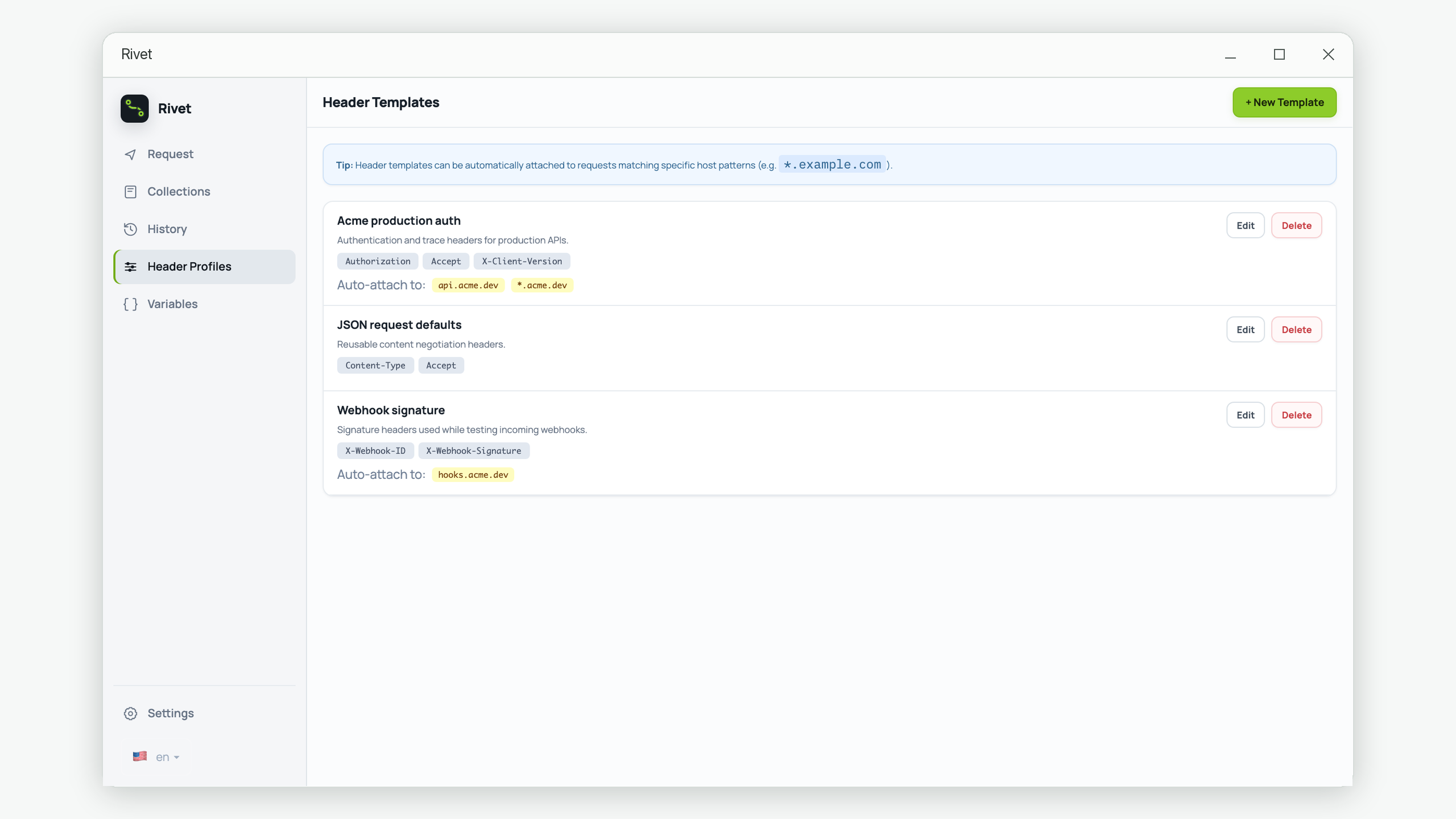
In Rivet, a header profile can attach authentication headers to matching hosts. This is useful for consistency, but it does not replace diagnosis: inspect which host matched and confirm that the environment uses the intended credential.
5. Use the server's authentication clue
Check the WWW-Authenticate response header. A server may identify the expected scheme or include a safe error such as invalid_token. Then correlate the response's request ID with gateway and application logs.
Useful server-side events include “header missing,” “token expired,” “unknown issuer,” “audience mismatch,” and “signature key not found.” Avoid logging raw credentials. Log the reason, request ID, key ID, and non-sensitive claims needed for diagnosis.
A reliable 401 debugging order
- Send the same request without credentials and confirm that it also returns 401.
- Inspect the final outgoing Authorization header.
- Try a freshly issued credential from the correct environment.
- Check expiry, not-before time, issuer, audience, and token type.
- Confirm the request reaches the intended host without a credential-stripping redirect.
- Read
WWW-Authenticateand correlate the request ID with server logs. - Only after authentication succeeds, investigate scopes and roles as a possible 403.
Common fixes that hide the cause
Disabling authentication, accepting any audience, extending token lifetime indefinitely, or copying a production token into development can make the symptom disappear while creating a security defect. Prefer a minimal reproducible request and the exact failed validation reason.
Keep authentication requests consistent
Rivet can reuse trusted header groups by host and preserve response headers and history locally for comparison.
Get Rivet from Microsoft Store